

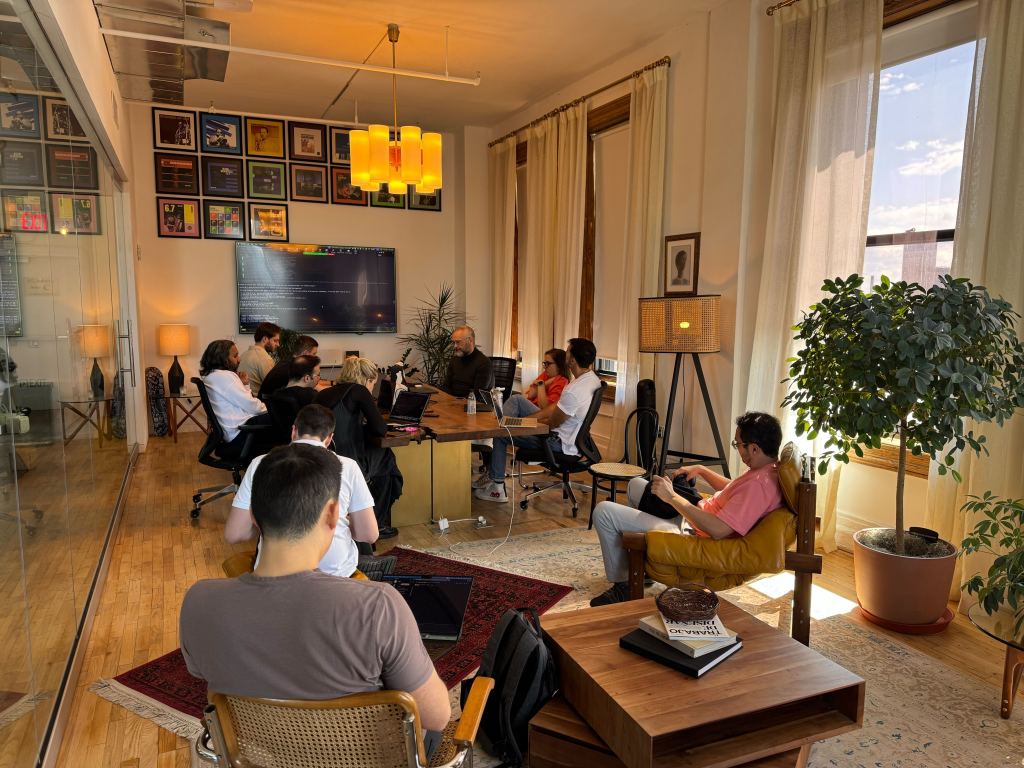
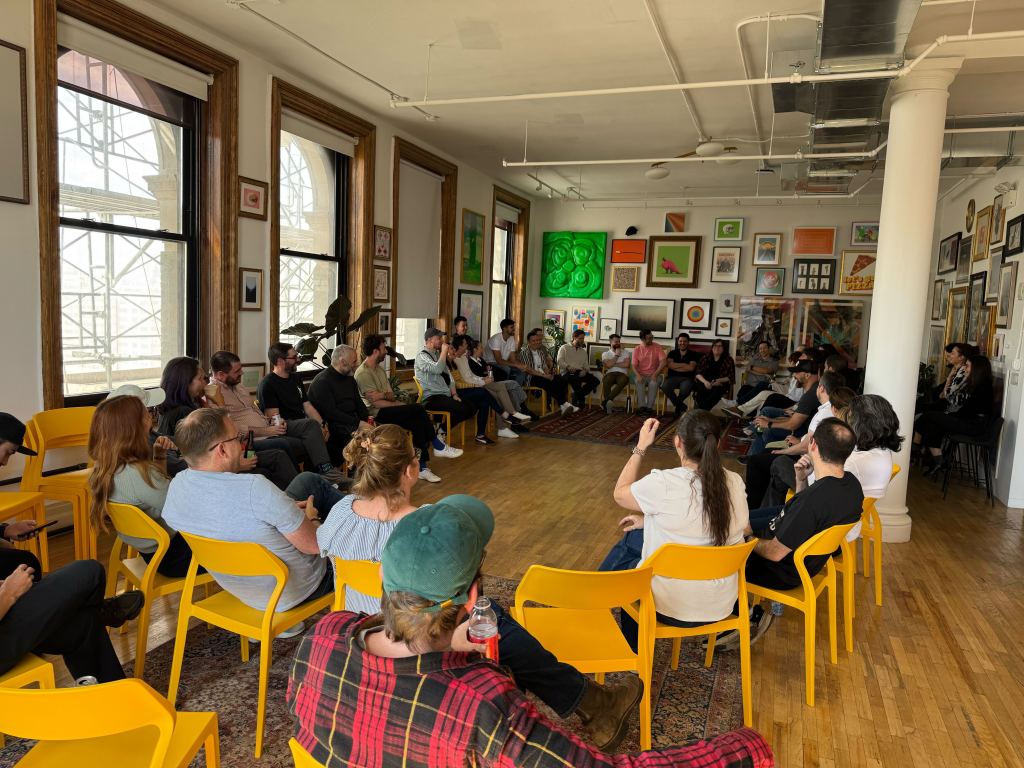
Last month I spent two weeks in New York with Cohort 3 of Automattic’s AI Enablement program. The idea is simple: put a cohort of Automatticians (who usually work remotely at home) in a shared, single room for two weeks, and fill the days with talks, workshops, and prototyping time, all about working with AI. The mix changes from cohort to cohort (some lean toward engineering, one was the executive leadership team, another the growth team); Automattic is experimenting with the recipe. My cohort was deliberately broad: around fifty people from product, design, engineering, data, and ops. We’re a distributed company. There’s no office to bump into each other in, so when many of us share a space, something different happens.
The schedule had range, the content was rich, and the room was kind. The most precious part was the people, more than the schedule itself. Don’t get me wrong, the sessions were excellent. But people make the party. The mix did a lot of the work, and the sessions were the scaffolding for it.
The vibes
The bit that stood out most was how easy it was to learn from each other. I could walk over to someone, glance at their screen, and ask about the thing they were doing right then. People showed each other what was working, what wasn’t, and what they were about to try. Distributed knowledge by osmosis. Not easy to replicate in a Slack thread.
We also did a coffee exchange. Everyone brought a bag from somewhere they liked, told the story behind it, and went home with someone else’s. Thanks to Esteban for building a temporary, private website to coordinate the exchange, and for that delicious fermented coffee from Costa Rica! I drank six different kinds of delightful coffee over the two weeks, and took a seventh home with me. The coffee exchange served as a tiny ritual that helped us connect. It gave us a small object to talk over, and reminded us that the people on the other end of those Slack avatars also have favorite beans.
Interfaces are moving up the visual stack
…give the human and the agent a shared surface they can both manipulate.
Across many demos, I saw the same evolution: command line, markdown files, HTML, rich browser experiences. Agents and humans are converging on a shared visual surface: pointing, annotating, dragging, and previewing, instead of describing things in pure prose.
Two tools fit this pattern especially well. Agentation lets you click any element on a page, drop a note, and turn the result into structured context (CSS selectors, source paths, computed styles) that an agent can act on. DialKit is a floating control panel with sliders, color pickers, and spring editors wired to your live component values. You can tune things by hand or ask your agent to wire it all up for you.
The same shift is reaching our own dev tools. The field went all‑in on CLIs after Claude Code shipped. It was surprising to see that the previously heavy CLI users I know are now running Claude Code inside the Claude Desktop app for daily coding work. The visual surface has caught up with the terminal and is offering a nicer experience. The CLI may be a temporary lead, not the destination. The same direction shows up everywhere: give the human and the agent a shared surface they can both manipulate.
One demo took this idea all the way: Renku, a private social app for small communities, built on top of WordPress.com. The surface is fresh (posts, video, stickers, a feed) but every post is a real WordPress post and every like is a real WordPress like. I love watching people bend a familiar platform into a shape it was not packaged for, especially when the bending reveals that the platform always supported that shape and we just had not named it yet.
Context failures, not model failures
The cohort opened with a session on context fundamentals by Derek. The reframe that stuck with me: drift, repetition, and “AI doesn’t know my world” are usually context failures, not model failures. The line to remember: the right 50 lines outperform 5,000 lines of everything. Derek’s image for it: a model is a brilliant new hire who joined five seconds ago. Sharp, but with no idea about your team, your past decisions, or the rules you never wrote down. Everything it can see has to fit in one window that gets re‑read at every turn, so a few precise lines beat a flood of everything.
Shaun’s talk on design systems made the same point from the design side. Your design system has a new audience now, and that audience is not human. As Shaun put it, despite the second word in its name, AI is really dumb. It fills gaps with training data and assumptions, then ships convincing but incorrect implementations. It’s all too easy to bypass the design system and go straight to the model, and what you get back is whatever the training set had.
The path forward is to feed AI your system in a form it can actually consume. Two pieces I started using right away: Automattic’s homegrown design‑skills repo, and Impeccable, a design fluency skill with a detector that catches gradient text, AI‑purple palettes, low contrast, and a few dozen other anti‑patterns. Demos at the cohort pushed further in the same direction: an MCP server for the WordPress design system, a tracker that measures how the design system actually shows up across our products, and a tool that fills mockups with sensible, context‑aware content instead of lorem ipsum.
We’re still in the beginning stages of working with and understanding AI. The layered approach (MCP plus context files plus skills) sometimes produces worse results than any one piece alone. Quality, taste, and art direction still need a human being in the loop. The honest framing is that the job is shifting from using a design system to evaluating an agent’s use of one.
What’s the data equivalent?
Spending the days alongside designers, PMs, and engineers was a different kind of fun. The expectations on data folks and on designers look different on the surface (data should be accurate, designs should look good), but neither of those is where the work actually happens anymore. The real work has moved a level down, into the systems each craft is built on.
Once you say it that way, the parallels stack up. A design system is, structurally, the same thing as a data model: a set of named primitives, rules about how they compose, and conventions for what good looks like. Tokens are columns. Components are entities. Patterns are queries. Documentation is documentation.
So here’s the question I kept coming back to. Design systems give AI a vocabulary, and the result is that AI‑generated interfaces feel on‑brand instead of generically templated. What would the same thing look like for data work? Components for query validation, schema and lineage lookups, chart selection, and standardized output formats. A shared library that codifies what “good” looks like and which AI can pull from.
I floated a rough version of this (a shared data library an agent could pull from) with colleagues who work on product analytics: a central data tool (MCP, CLI, or API) that handles validation, verification, and standardized output, paired with hooks any team can wire into their own workflow. We didn’t walk away with a plan. We walked away with the realization that we’re hitting similar challenges from different angles. People found the idea interesting, which is the only kind of green light a rough idea should get at this stage.
Everyone has a skill library
The library you write yourself is more about understanding the loop than about future-proofing a workflow.
A pattern showed up in almost every session: people keep a personal or team skill library—a folder of prompts and procedures that take them from rough idea, to spec, to plan, to tests, to review. The recipes overlap a lot:
- obra/superpowers bundles brainstorming, planning, subagent‑driven execution, and test‑driven development.
- get‑shit‑done is built around fighting context rot by doing the heavy work in fresh subagent contexts.
- gstack compresses the Y Combinator idea‑validation flow into a Claude Code plugin.
- Harper Reed’s LLM codegen workflow is a beautifully short blog post describing the same loop, distilled.
Skim them all and they’re roughly the same shape: Socratic specification (the AI asks the questions), then spec‑driven development plus test‑driven development, with extra compute thrown at planning and review passes.
My takeaway: try new ones occasionally, but don’t worry about missing out on a golden one. As the models and the harnesses keep maturing, they absorb these patterns directly. Once a skill is golden, it quickly becomes a default in the model or the harness. The library you write yourself is more about understanding the loop than about future‑proofing a workflow.
Start simple. Add as you need.
The most repeated advice across sessions: don’t copy someone else’s elaborate setup. Start with the smallest thing that works, and add a skill, a hook, an MCP, or an agent only when you feel the friction it would remove. Two reasons. One, the model keeps getting better, so yesterday’s scaffolding can quickly become today’s overhead. Two, the field is moving so fast that the elaborate setup you’re tempted to copy is probably already a little stale. Several presenters said it directly: they rewrite their decks every month because everything they said last time has new and better answers now.
The corollary: audit your workflow monthly. What is actually saving you time, and what is just there because you set it up once? Claude Code has an /insights command that helps with this. It reads back your recent sessions and surfaces patterns: where context fills up, which tools you keep reaching for, which prompts repeat. I ran it during the cohort and got feedback like “this could be a skill” and “this never gets used, retire it.”
One direction people are growing into is always‑on agents. I was surprised by how many colleagues have something running in the background, often hooked into Slack, doing personal‑assistant and technical‑operator jobs: aggregating news, summarizing the inbox, monitoring deploys, dropping research summaries into a channel. The agent becomes a thing you talk to, not a thing you open. I haven’t tried this yet, but I want to. The right entry point feels like one narrow job done well; begin with that, and grow from there.
Start simple, audit monthly, add only when something is missing.
Three things I built
Otomatik
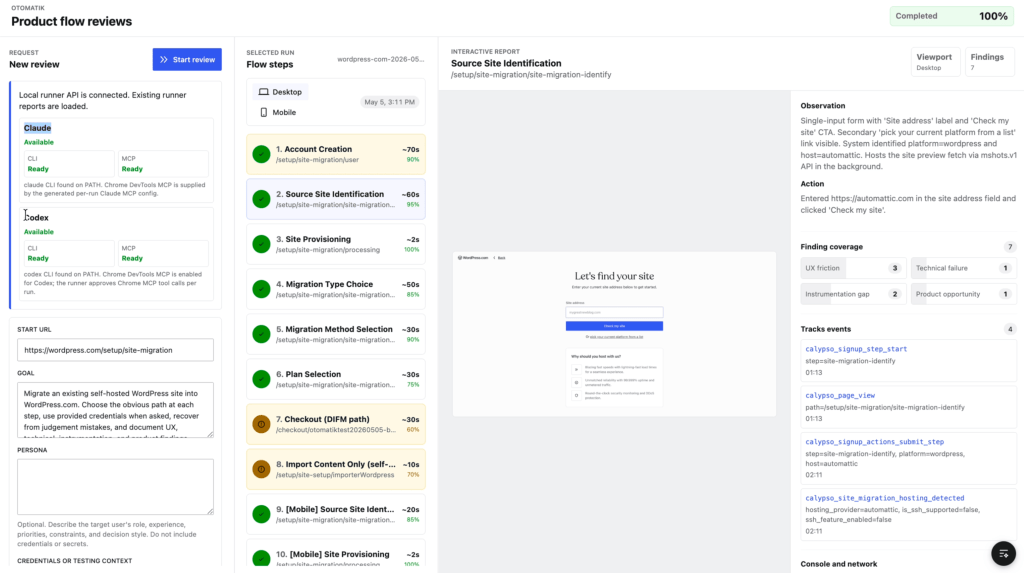
With Bohdan, I built Otomatik (it means “automatic” in Turkish): AI‑driven QA for WordPress.com product flows. What I’ll remember most is the speed we found working in the same room. We sat next to each other, typed the spec together, scoped the MVP in real time, and shipped a v1 by the end of the week. The in‑person tempo is the magic: a clarifying question becomes a 30‑second nudge instead of a back‑and‑forth thread.
Localhost NYC
On prototyping day, five of us built Localhost NYC, a personalized New York travel and events guide for visiting colleagues, with recommendations driven off each person’s Gravatar and other public profiles.
The lesson: shared vocabulary is more fragile than it looks. Every time we thought we had alignment on the problem, the hypothesis, the solution, we would start building and realize we had each understood it differently. Not in a “someone is wrong” way, but rather in a“five well-intentioned people produce five legitimate shapes from the same brief” way.
The same lesson that the design‑systems talks had made about agents also applied to humans. Such differences of interpretation are fine for a hackathon prototype. But they leave the kind of gap that matters a great deal once you commit to shipping something.
Hyperactive Amateur
During the cohort, I shared a three‑hour, vibe‑coded sketch called Hyperactive Amateur. It’s a little in‑browser beat‑making toy where you record eight short clips from your webcam and mic. AI classifies the sounds and suggests a 16‑step pattern, then it plays the song back as a hip‑hop video of you performing it in real time. Lasse Gjertsen’s Hyperactive and Amateur videos inspired the sketch.The warm reception got me excited to keep playing with it. About nine more hours of “just one more thing” later, the rough edges are mostly gone, the source is open, and the app is live at hyperactive‑amateur.fgelbal.com. Every “one more thing” is the most dangerous phrase in software, and also why this is now my favorite project.
What I’m taking home
The pace at these AI enablement sessions is fast, and we’re all still figuring everything out. That’s the most reassuring takeaway from the two weeks. Sharing where we are with each other (what’s working, what’s not, what we’re trying next) is honestly the fastest way forward.
The other thing I’m taking home is a renewed appetite for just trying things. Pick the smallest version that works. Build a skill. Wire a hook. Set up one always‑on agent. The cost of an experiment has fallen to almost zero. The cost of not running any has not.
Something worth saying out loud. Two weeks of immersion came with a real trade‑off: I was not productive in the day‑job sense. Open office, fifty people moving around, no second monitor, none of my usual rituals. Heads‑down, focused work took longer than it would have at home. The bargain Automattic struck for us was a generous one, and the question to ask afterwards is whether I gained more than I gave away. I did, by a comfortable margin, and a lot of what I picked up will let me recapture that productivity over the coming months. The next person weighing whether to join a cohort deserves to know it is a trade‑off… and a great one.


Leave a Reply